


Anyone looking for an IPTV app finds dozens of look-alikes. This page helps you choose: it explains what an IPTV app does and does not do, compares the main players by device and cost, shows how to spot the genuine app and solves the most frequent problems.
01
IPTV player: what the app does and does not do
An IPTV player is plain playback software, comparable to a video player. It supplies the interface, the programme guide (EPG), favourites and, depending on the app, recording features. The channels, the licences and the support come from the service where you obtain your login or playlist link.
Two practical consequences follow. First, a freshly installed IPTV app stays empty until you enter an access; that is normal, not a fault. Second, the name of the app says nothing about whether the offer is lawful: the same app can play a licensed service or an unlicensed one. The differences between Xtream Codes logins, M3U links and activation codes are explained in the IPTV subscription guide.
02
Best IPTV app: platforms and costs compared
The table summarises the common players. The details come from the developers' pages and the stores and can change; check the price and the device lists in the store before you buy.
| App | Runs on | Cost | Special feature |
|---|---|---|---|
| IPTV Smarters Pro | Android, Apple devices, smart TVs and computers, depending on the version | Varies by version and store | Login by Xtream Codes details or M3U link; many apps with similar names |
| Smart IPTV | Android, Google TV, Fire TV, Samsung (from model year 2022), LG webOS | One-off activation fee per device, per the developer | The playlist is loaded on the website via the device ID |
| TiviMate | Android TV, Fire TV | Basic features free, Premium paid | EPG grid, several playlists, favourites, catch-up, recording |
| NET IPTV | Samsung Tizen, LG webOS | Per the Samsung listing, 7 days free then a one-off fee | Playlist sent via the developer's website |
| IPTV Extreme | Android | Free version, separate Pro version | M3U, several EPG sources, parental control, Chromecast (beta) |
| Kodi | Windows, macOS, Linux, Android and more | Free, open source | The official PVR IPTV Simple Client add-on reads M3U files and XMLTV guides |
| VLC | Windows, macOS, Linux, Android, iOS | Free, open source | Plays M3U playlists and network streams, without the comfort of an EPG |
03
IPTV Smarters Pro and Smart IPTV: two names, a lot of confusion
Two names dominate the searches. For IPTV Smarters Pro, the stores show many apps with almost identical names from different developers, so the name does not tell you which is the original. Check the developer before entering anything. Our page on IPTV Smarters Pro goes through what the app does, how login works and how to avoid look-alikes.
Smart IPTV, often shortened to SIPTV, describes itself on its developer's site as a plain player with no channels included. Activation carries a one-off fee per TV or device and is tied to the device's MAC address or ID. Smart IPTV is covered on its own page, including the difference from the similarly named SmartOne IPTV.
04
TiviMate IPTV Player: features and limits
TiviMate is a player for Android TV and Fire TV, liked for its big-screen interface. According to its Play Store listing it supports M3U playlists, Xtream Codes and Stalker Portal, several playlists, favourites, catch-up, recording, search and parental control; the website also mentions multiview.
Worth knowing: according to the Play Store listing, a paid upgrade unlocks only features of the app. It contains no channels, streams or content. On devices without Google Play, such as Fire TV, Premium is unlocked through the TiviMate Companion app.
05
Set IPTV, IPTV Extreme, NET IPTV and IPTV Pro: what to know
Other names that are often searched, in short:
- Set IPTV: another player for smart TVs. Like all apps of this kind it contains no channels; price and supported models are on the developer's site
- IPTV Extreme: an Android player with M3U support and several EPG sources. According to its Play Store listing, the developer does not provide playlists
- NET IPTV: an app for Samsung and LG TVs where you load your own M3U list. According to the Samsung listing, a one-off fee is due after the trial period
- IPTV Pro: a name carried by several apps from different developers. Check the developer before entering anything
06
Kodi IPTV and VLC IPTV: free players for the computer
To watch IPTV on a computer, two free programs give a solid base. Kodi includes the PVR IPTV Simple Client add-on, which reads M3U playlists from a file or an internet address and adds a programme guide in XMLTV format. Since Kodi 20 you can set up several playlist and guide pairs.
VLC is the simplest choice: it opens M3U playlists and network streams, but offers less comfort for the guide and for recording. For an IPTV player on Windows or Mac, both are a good start; the logins here too come from the service.
07
Xtream IPTV: where the term comes from
Almost every player app has an option for "Xtream Codes login". The name goes back to a management platform that resellers used to run their own IPTV services. In September 2019 Italian authorities moved against that platform with the participation of Europol and Eurojust.
Today Xtream IPTV mostly means a login format made of a server address, a username and a password, which many apps and management systems support. The app stays neutral: whether an access is lawful depends on the service behind it.
08
IPTV player for Windows and other devices: which app where?
This mapping is limited to the developers' and stores' own statements:
| Device | Suitable apps | Note |
|---|---|---|
| Samsung smart TV | Smart IPTV, NET IPTV | Smart IPTV supports, per the developer, Tizen from version 6.5, so models from 2022 |
| LG smart TV (webOS) | Smart IPTV, NET IPTV | Older LG models with Netcast or webOS 1 and 2 need, per the developer, a different version of the app |
| Android TV and Google TV | TiviMate, Smart IPTV, IPTV Extreme | TiviMate is especially widespread on the big screen |
| Fire TV | TiviMate, Smart IPTV | TiviMate Premium goes through the Companion app |
| iPhone, iPad and Apple TV | Several players in the App Store | Many apps have similar names; check the developer |
| Windows, Mac, Linux | VLC, Kodi | Kodi uses the PVR IPTV Simple Client add-on |
09
Install safely: genuine app or imitation?
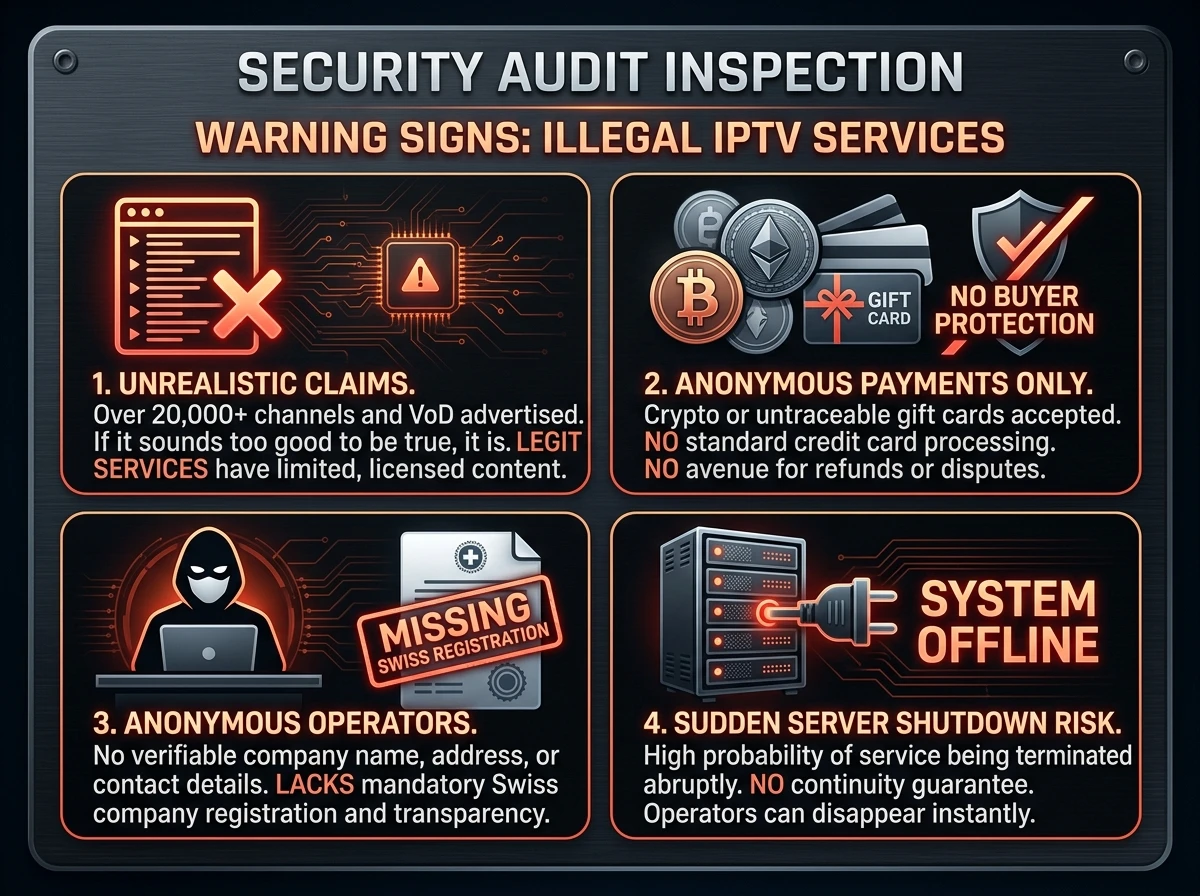
With names such as "IPTV Smarters Pro" or "IPTV Pro", the stores show many apps with near-identical names from different developers. That complicates the choice and opens the door to dubious software. Here is how to proceed:
- Download apps only from the official store of your device, not from forums or download sites
- Compare the developer name in the store with the information on the app's website
- Avoid modified or "unlocked" versions that promise free features
- Enter a service's login only in apps whose origin you have checked
- Read the permissions requested: a player has no need to access contacts or text messages
10
Legally, the app is never the problem
A playback app is neutral software, and the developers state expressly that they do not provide channels. Lawful or unlawful is solely the service whose access you enter. What Swiss law says is in IPTV illegal or legal in Switzerland.
11
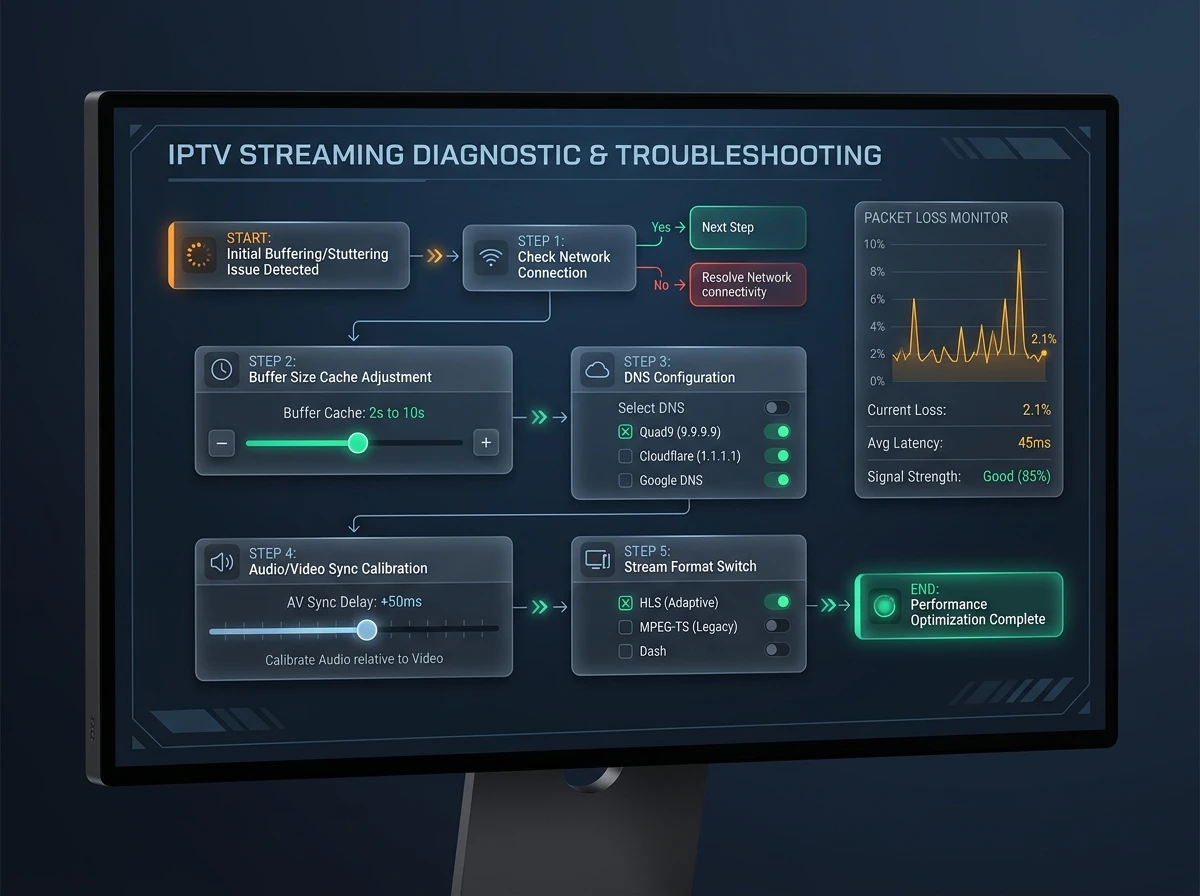
Common problems: empty app, missing guide, stutter
Most faults have a simple cause:
- The app starts but shows no channels: check the server address, username and password with the provider and whether the subscription is active. With an M3U link, test the same address in a second player
- The programme guide is missing: many apps ask for their own EPG source or for channel matching; the source comes from the service
- The picture stutters: in most cases a network cable instead of Wi-Fi helps, as the IPTV Switzerland overview also explains
- Catch-up and replay are missing: that depends on what the service provides, not on the app
12
Best IPTV player: how to choose
There is no best IPTV player for everybody, and the free app is not always the cheapest. Choose the device first: TiviMate on Android TV and Fire TV, Smart IPTV or NET IPTV on Samsung and LG, VLC or Kodi on a computer. Then look for a free IPTV player if a basic version is enough for you, checking the developer. For the devices themselves, see the guide to IPTV devices.
FAQ
Frequently asked questions
What is an IPTV player?
An IPTV player is an app or program that plays channel lists and offers functions such as a programme guide, favourites and sometimes recording. The channels come from the service where you obtain your login.
Does an IPTV app come with channels?
No. The developers of apps such as Smart IPTV, TiviMate or IPTV Extreme state expressly that they provide neither channels nor playlists. Without an access, the app stays empty.
What is the best IPTV player?
It depends on the device. On Android TV and Fire TV, TiviMate is widespread, on Samsung and LG Smart IPTV or NET IPTV come into question, on a computer VLC or Kodi are enough.
Which IPTV app works on Samsung and LG?
Smart IPTV supports, per the developer, Samsung from Tizen 6.5 (model year 2022) and LG webOS from version 3.0. NET IPTV exists for Samsung Tizen and LG webOS.
Which IPTV app suits Android TV and Fire TV?
The most common are TiviMate, Smart IPTV and IPTV Extreme. For TiviMate, Premium is unlocked on devices without Google Play through the Companion app.
Is there an IPTV player for Windows?
Yes. VLC plays M3U playlists, and Kodi adds them with the programme guide through the PVR IPTV Simple Client add-on. Both are free.
Why does my IPTV app show no channels?
Most often a valid access is missing: check the server address, username and password or the M3U link, and whether the subscription is active with the provider. The app supplies no content.
What does Xtream mean in IPTV apps?
Xtream means a login format made of a server address, a username and a password, which many players support. It goes back to a management platform that authorities moved against in 2019.
How do I recognise a genuine IPTV app?
By the developer name in the official store, which matches the app's website. Avoid modified versions and apps that promise free channels.
Is there a free IPTV player?
Yes: VLC and Kodi are free and open source, TiviMate and IPTV Extreme have free basic versions. A free player does not make the streams it plays lawful.
Sources
Read next
- IPTV devices: box, stick or Smart TVWhich hardware suits which setup
- IPTV subscription: contract, cancelling and codesXtream Codes, M3U link and activation code explained
- IPTV playlists and M3U filesWhat a playlist is and what it is not
- IPTV illegal or legal in SwitzerlandNeutral tools: the source decides
- IPTV Switzerland: licensed providers comparedLicensed services, speeds and prices with sources
- IPTV pricing in SwitzerlandPlans, terms and prices in CHF
More from the blog
- TV market2 min readblue TV app aloneThe blue TV app and blue TV Air without a Swisscom subscription: over 250 channels on phone, tablet and laptop, the smart TV limits and the minimum system.
- Technology2 min readZattoo devicesZattoo devices in Switzerland: which smart TV models, streaming devices, phones and browsers Zattoo supports, the model years and the free tier's TV limit.
- Technology4 min readIPTV glossaryIPTV glossary with 50 terms explained in one line each: EPG, M3U, Xtream Codes, HLS, RTP, codecs, DRM, STB, replay, OTT and more, with sources.