




"IPTV playlist", "IPTV M3U" and "free popular IPTV playlist" are among the most searched terms in the field, and they are often meant as a shortcut to free pay TV. This page explains what a playlist really is, how the file format works, how to play one, what public lists contain and where the legal and safety limits lie.
01
IPTV playlist: what it is and what it is not
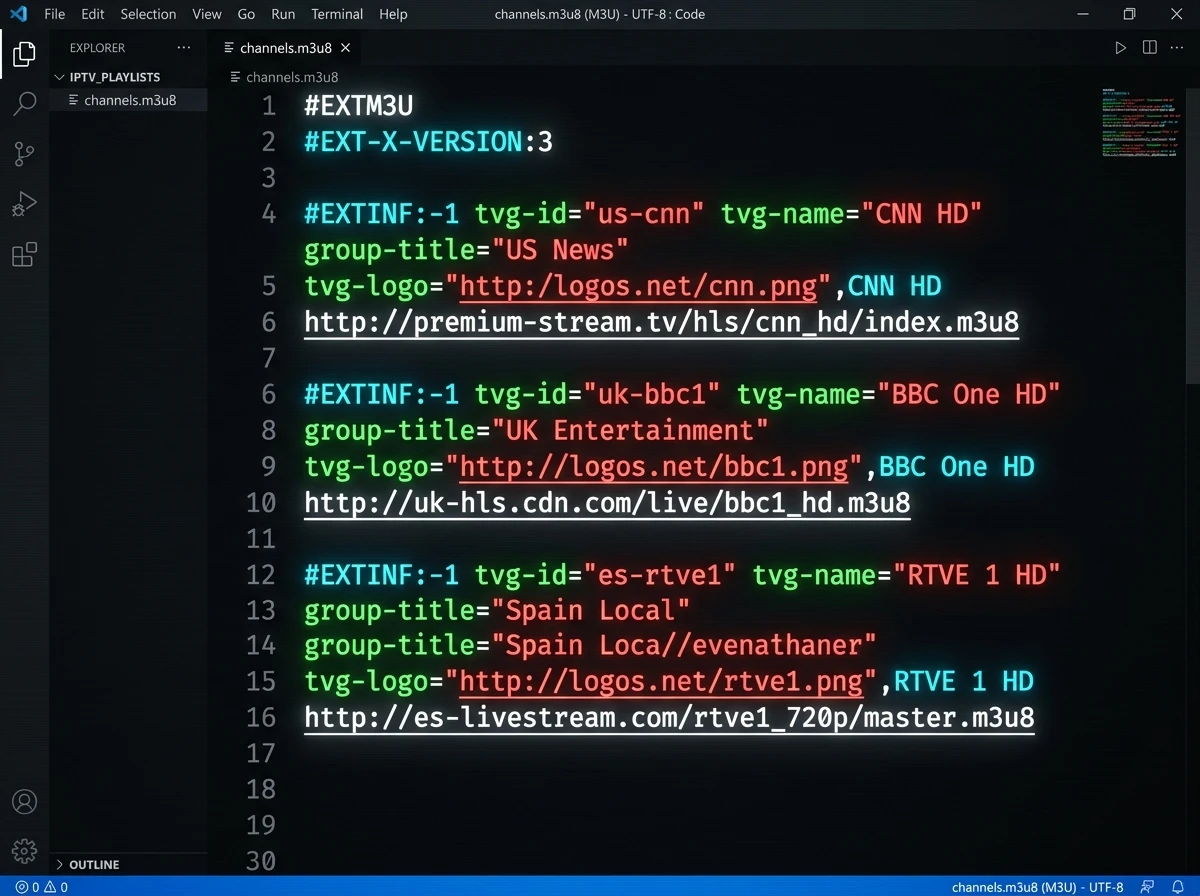
An IPTV playlist is a plain text file that lists channels. For each entry it holds a name and the web address of the stream, often with a logo and a group such as "News" or "Sport". A player app reads the file and shows the entries as a channel list.
Three things follow. The file contains no video, only addresses. It gives you no right to watch what those addresses lead to; that depends on the service behind them. And a playlist is only as good as its sources: if an address stops working, the entry dies. Which app reads which format is covered in IPTV apps and players.
02
IPTV M3U and M3U8: the file format explained
M3U is the usual format. An M3U8 file is the same format saved in UTF-8 text encoding. HTTP Live Streaming (RFC 8216) uses the same extended format for its own playlists, which is why the name appears in two roles: as a channel list for IPTV players and as the playlist inside a single stream.
A typical channel list starts with a header line and then repeats a pair of lines per channel:
| Element | What it does | Example |
|---|---|---|
| #EXTM3U | First line, marks the file as extended M3U | #EXTM3U |
| #EXTINF | Starts a channel entry with its duration (-1 for live) and name | #EXTINF:-1 ... ,Channel name |
| tvg-id | Identifier used to match the channel to a programme guide | tvg-id="channel.id" |
| tvg-logo | Address of the channel logo | tvg-logo="https://..." |
| group-title | Category the player sorts the channel into | group-title="News" |
| Stream address | The line after the entry: where the stream is | https://.../stream.m3u8 |
03
IPTV playlist URL, file or Xtream login: three ways in
A player can get a channel list in three ways, and they are often confused. They differ in who maintains the list and what you can change:
| Way | What you enter | Typical use |
|---|---|---|
| IPTV playlist URL | The web address of a list that stays online | Lists that are updated by their maintainer; the player reloads it |
| M3U file | A file you upload or store on the device | A fixed list that you control and edit yourself |
| Xtream Codes login | Server address, username and password | Providers that give each customer an account; see the IPTV subscription guide |
04
Free popular IPTV playlist: what you can lawfully get
The search for a free popular IPTV playlist usually means one thing: a list that opens the well-known pay channels without paying. Such a list is not a lawful offer, whatever it costs. Lawful free television comes from three kinds of source:
- Broadcasters' own streams: channels that publish a live stream openly, such as the SRG's players for SRF, RTS and RSI
- Free tiers of licensed services: for example Zattoo Free, with 10 hours per month on smart TV according to the provider
- Community lists of publicly available streams, such as iptv-org, described below, which carry free channels and make no promise about pay TV
05
Public IPTV playlist and GitHub IPTV: how iptv-org works
The best-known community project is iptv-org on GitHub. It collects publicly available IPTV channels from around the world; its main list is at iptv-org.github.io/iptv/index.m3u, and further lists are linked from the project's PLAYLISTS file. According to its README, the repository stores no video files. It holds user-submitted links to publicly available streams, which the README says are believed to have been made public intentionally by their copyright holders.
The same README says that a rights holder who finds an infringing link can file a copyright-claim issue, after which the link may be removed. It also states that removing a link from a list does not remove the content from the web, because the maintainers have no control over where a link leads. That is a useful reminder of what such a list is: a directory of addresses, maintained by volunteers, with no guarantee about any single stream.
06
Public IPTV playlist URL: by category, language and country
iptv-org offers the same channels in several groupings. These are the address patterns listed on the project's PLAYLISTS page (state: October 2026):
| Grouping | Address pattern | Example |
|---|---|---|
| All channels | iptv-org.github.io/iptv/index.m3u | The main list |
| By category | iptv-org.github.io/iptv/categories/NAME.m3u | categories/documentary.m3u |
| By language | iptv-org.github.io/iptv/languages/CODE.m3u | languages/deu.m3u (German), languages/fra.m3u (French) |
| By country | iptv-org.github.io/iptv/countries/CODE.m3u | countries/ch.m3u (Switzerland), countries/de.m3u (Germany) |
07
Free public IPTV playlist: what to expect in practice
A free public IPTV playlist is a good way to see how M3U works, but set your expectations accordingly. The entries come from many different hosts. Some streams are geo-restricted and play only in one country, some are offered at a lower quality than the broadcaster's own app and some stop working when the source changes its address.
Because each entry points to a different place, nobody can vouch for all of them at once. If you use such a list, treat each channel as a separate decision: prefer streams you can trace to the broadcaster itself, and skip anything that looks like a re-stream of a pay channel.
08
How to play an IPTV M3U playlist
The steps are similar in every player. These are the common routes:
- VLC: open the media menu, choose the option for a network stream and paste the playlist address; VLC then shows the entries in its playlist view
- Kodi: install and enable the PVR IPTV Simple Client add-on, point it to the playlist address or file and optionally to a programme guide
- TiviMate and similar apps on Android TV and Fire TV: add a new playlist by URL and let the app load the channel list
- Smart TV apps such as Smart IPTV: upload the address or file through the developer's website, as described on the Smart IPTV page
09
IPTV EPG: adding a programme guide to a playlist
A playlist on its own shows only channel names. The programme guide (EPG) normally comes from a second file or address in XMLTV format. The player matches guide entries to channels by the identifier in the playlist, usually the tvg-id value, so the identifiers in both files must agree.
The iptv-org project also maintains guide data in a separate repository, which is the usual source for public lists. For a licensed service, the provider supplies the guide address together with the login. If the guide is empty or wrong, the cause is almost always a mismatch of identifiers, not a fault in the app.
10
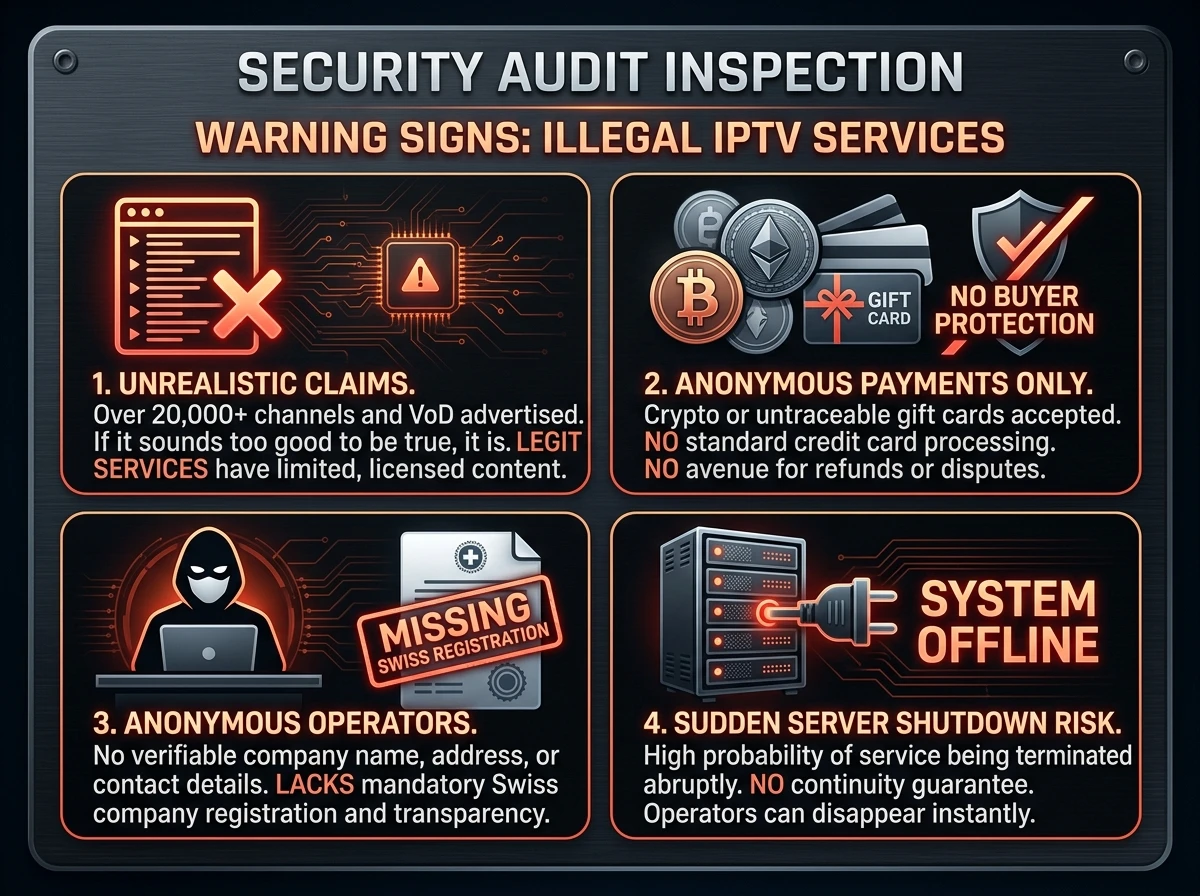
Why most free IPTV lists stop working
Free lists of pay channels have a short life for reasons that repeat:
- Rights holders and hosts take streams down, so the entries die within days or weeks
- Addresses change, and nobody updates your copy of the list
- Quality and availability vary from entry to entry
- The sites that distribute such lists often earn from aggressive advertising or modified player apps
- There is no support and nobody to ask for a refund
11
Where Swiss law draws the line for playlists
A playlist file itself is just text. What counts under Swiss copyright law is what the streams in it are and what you do with them. Private viewing is treated differently from making content available to others: passing on access, restreaming or distributing lists of unlicensed channels to the public is the area where rights holders act. The articles and the statements of the Swiss Federal Institute of Intellectual Property are set out in IPTV illegal or legal in Switzerland.
12
Safety checklist before loading any playlist
A few habits remove most of the risk:
- Take lists from a source you can name, such as the broadcaster or a project with public documentation
- Do not install modified player apps that a list's website recommends; use the official store instead
- Never enter payment or login details on a site that only offers a free list
- Open the playlist in a text editor first: unfamiliar hosts or very many entries from one odd address are a reason to stop
- Keep your own copy of lists that matter to you, so a changed address does not wipe your setup
13
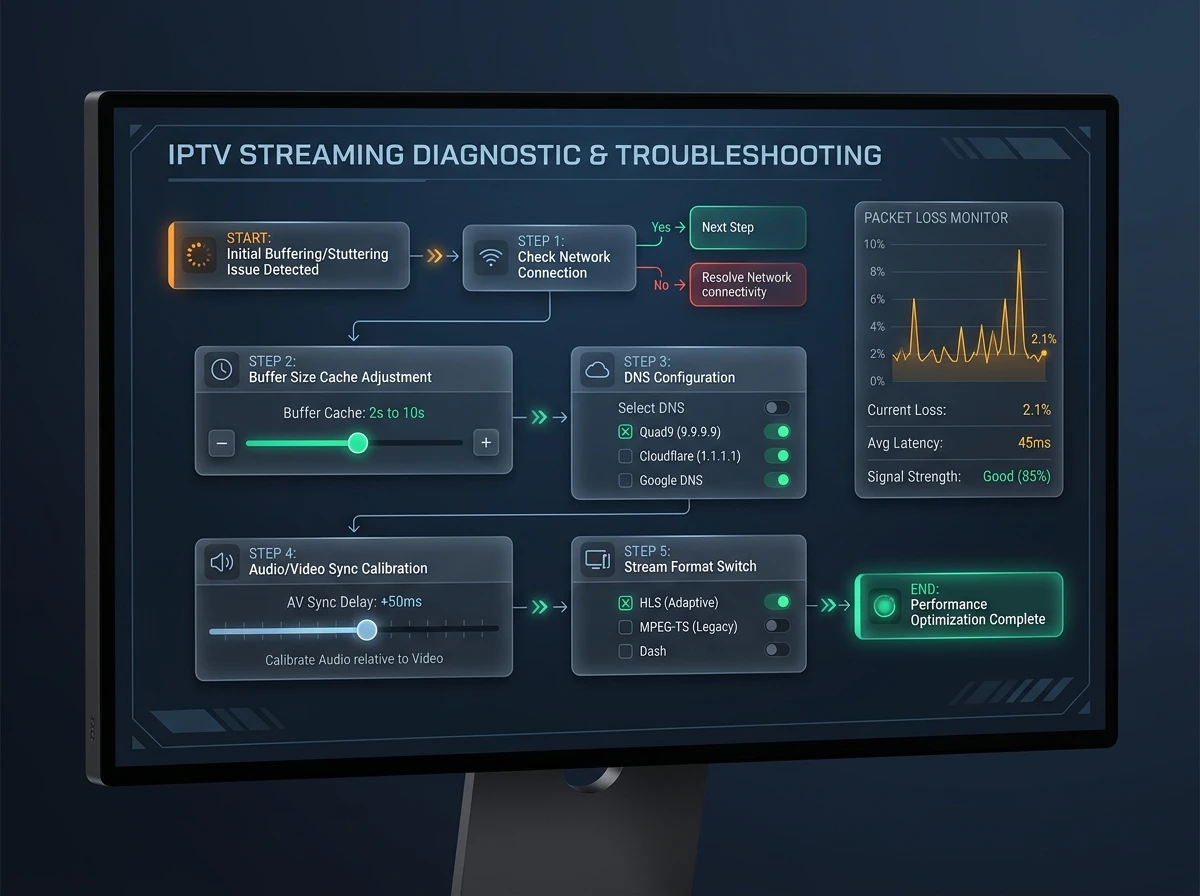
Playlist problems and fixes
Most playlist faults have a simple cause:
| Symptom | Likely cause | What to do |
|---|---|---|
| The playlist loads but stays empty | The address is wrong, or the file is not valid M3U | Open the address in a browser or text editor and check that it starts with #EXTM3U |
| Single channels do not play | The stream is dead, geo-restricted or removed | Test the entry in a second player; drop the entry if it fails |
| No programme guide | The guide address is missing or the identifiers do not match | Add the guide source and check the tvg-id values |
| Stutter or freezing | Overloaded Wi-Fi or a weak source | Use a network cable; compare with another channel |
| The list disappears after a restart | It was stored only temporarily | Save the playlist address or file in the app's settings |
FAQ
Frequently asked questions
What is an IPTV playlist?
A text file, usually in M3U format, that lists channel names and stream addresses so that a player can load them. It contains no video and gives no right to watch what the addresses lead to.
What is an M3U file?
M3U is a playlist format. An extended M3U file starts with #EXTM3U and then lists channels with #EXTINF lines followed by the stream address. M3U8 is the same format saved in UTF-8.
What is a free popular IPTV playlist?
The phrase is usually used for lists that open well-known pay channels for free. Those are not lawful offers. Lawful free lists carry channels that are publicly available, such as broadcasters' open streams.
What is iptv-org?
A community project on GitHub that collects publicly available IPTV channels. According to its README it stores no video files, only user-submitted links believed to be made public intentionally by their copyright holders.
How do I play an M3U playlist?
Paste its address into a player such as VLC, or load it in Kodi through the PVR IPTV Simple Client add-on, or add it as a playlist URL in an app such as TiviMate.
What is an IPTV EPG?
The electronic programme guide: the schedule shown on screen. It usually comes as an XMLTV file and is matched to the channels in the playlist by an identifier such as tvg-id.
Why does my IPTV playlist show no channels?
Usually the address is wrong, the file is not valid M3U or the streams in it are dead. Check that the file starts with #EXTM3U and test the entries in a second player.
Are free IPTV playlists safe?
The text file itself is harmless; the risks are where its entries lead, the sites that distribute it and modified player apps. Use sources you can name and install players only from official stores.
Is it legal to use an IPTV playlist in Switzerland?
A playlist is just a list of addresses. Private viewing is treated differently from making content available to others; what the streams are decides the rest. The legal guide on this site has the details.
What is the difference between a playlist URL and Xtream Codes?
A playlist URL is the address of a channel list file. Xtream Codes is a login with server address, username and password through which a player fetches the list from a provider's account system.
Sources
- iptv-org/iptv on GitHub: README
- iptv-org: main playlist (index.m3u)
- iptv-org: PLAYLISTS, lists by category, language and country
- iptv-org/epg on GitHub: programme guide data
- RFC 8216: HTTP Live Streaming (playlist format)
- Kodi Wiki: PVR IPTV Simple Client
- Zattoo Switzerland: Zattoo Free
- IGE: copyright on the internet
Read next
- IPTV apps and players comparedWhich player reads which playlist
- IPTV subscription: contract, cancelling and codesXtream Codes, M3U link and activation code explained
- Free IPTV: what is legal, tested and safeFree tiers, trials and open streams
- IPTV illegal or legal in SwitzerlandWhat the Copyright Act says for viewers and providers
- What is IPTV? How it worksThe technology explained step by step
More from the blog
- Technology4 min readIPTV glossaryIPTV glossary with 50 terms explained in one line each: EPG, M3U, Xtream Codes, HLS, RTP, codecs, DRM, STB, replay, OTT and more, with sources.
- Safety3 min readIPTV scams and red flagsIPTV scams in Switzerland: how fake sellers, reseller panels and "lifetime" deals work, the red flags to check before paying and what to do if you paid.
- Technology3 min readFix TV bufferingFix TV buffering and stutter step by step: cables, restarts, Wi-Fi, updates, quality settings and when to blame the line, with Swisscom and Sunrise tips.