


"IPTV Smarters Pro" is one of the most searched terms around IPTV, and hardly any app is misunderstood as often. This page explains what the app does and does not do, how to tell the right version, how login works, where problems typically arise and what the legal position is. It is a guide, not a download directory: you will find no logins or playlists here.
01
IPTV Smarters Pro in brief: what the app is
IPTV Smarters Pro is a player for live TV, films and series. It shows channel lists, a programme guide and, depending on the service, replay, but plays nothing by itself. The content comes from the service whose login you enter. The store listings of these apps state expressly that they offer no channels, playlists, subscriptions or streaming content.
The details are entered in one of two ways: as an Xtream Codes login made of server address, username and password, or as an M3U link. What these terms mean is explained in the IPTV subscription guide; how an M3U file is built is shown in IPTV playlists and M3U files.
02
IPTV Smarters Pro features: what the app can do
The app's listing in the Samsung app store (developer: WHMCS Smarters; listing last updated in May 2023, read in October 2026) names these features:
- Login with the Xtream Codes API
- Playback of live TV, movies and series
- Support for the electronic programme guide (EPG)
- A built-in player
- Parental control
- Display of the expiry date and account information
- Multiuser support: more than one subscription can be managed in the app
- Film and series details such as ratings, descriptions and cast
03
What the store listing does not say
The listing names only the Xtream Codes API as a login method. Some guides also mention an M3U link or a Stalker portal; check that your device's version of the app offers the one your service gives you, because the versions for Android, iOS and smart TVs are not identical.
The developer states that the app does not supply or include any media or content, that you must have your own, and that it has no affiliation with third-party providers. The features above are therefore a player's features, not a promise about channels, quality or legality, which depend entirely on the service behind the login.
04
IPTV Smarters, Smarters Player and Smarters Lite: why there are so many names
Searching a store turns up "IPTV Smarters", "IPTV Smarters Pro", "IPTV Smarters Player" or "IPTV Smarters Lite", plus many apps with similar names. The listings come from different developers and carry different package IDs. The name alone therefore does not tell you which app is the original.
That is more than a cosmetic flaw: an imitation app sees your login details. Before every installation, check the developer's name and compare it with what your provider or the app's website says.
- Note the developer name in the store and match it against the source you were given
- Look for ratings spread over several months, not a wave on a single day
- Avoid apps that promise "unlocked" or "premium" features for free
- Read the permissions requested: a player has no need for contacts or text messages
05
IPTV Smarters Pro download: from which source?
Download the app only from the official store of your device or from a source the developer itself names. This applies above all to Android installation files (APK) circulating in forums and messenger groups: a modified file can contain malware, and your login details pass through the app.
If a provider recommends an app, ask for the direct link to its store listing. Serious providers give it. Avoid links that are distributed only by a link-shortening service or in a chat.
06
How to log in: Xtream Codes or M3U link
Login is similar in all apps of this kind. You need login details from your provider; the app does not supply them:
- Open the app and choose the login type: Xtream Codes login or playlist by M3U link
- For the Xtream login, enter display name, username, password and the provider's server address
- For the M3U link, paste the full address of the playlist
- Copy and paste the details so that no spaces or typing errors slip in
- Wait until the channel list and programme guide have loaded. Depending on size this can take a few minutes
07
What your provider should supply for setup
A player app is only as useful as the details you get from the service. A serious provider supplies these points:
- Server address, username and password, or an M3U link
- The address of the programme guide source, if the app does not load it automatically
- How many devices may connect at the same time. The service sets that, not the app
- An imprint, a reachable support address and terms of contract
- Instructions that work without modified app files
08
IPTV Smarters Pro on Android, Windows and Samsung: what works
Which version you get depends on the device. The overview summarises what to look for:
| Device | How to proceed | Note |
|---|---|---|
| Android phone and tablet, Android TV | Install from the Google Play Store | Several apps with similar names: check the developer |
| iPhone, iPad, Apple TV | Install from the App Store | Many similarly named players here too |
| Windows and Mac | Only from the developer's website or the operating system's store | VLC or Kodi are proven alternatives on a computer |
| Samsung smart TV | Search for the app in the TV store | If it does not appear for your model, Smart IPTV or NET IPTV are common alternatives |
| Fire TV | Depending on the app version, via the Amazon Appstore or the developer | Install foreign files only after checking the source |
09
IPTV Smarters Pro subscription: does the app come with one?
No. Anyone searching for an "IPTV Smarters Pro subscription" usually means the subscription of a service that works with this app. The app is the player; the subscription is a separate contract with a provider. Offers that bundle both as an "IPTV Smarters Pro subscription" are really selling access to a service.
So check who your contracting party is and what it says about term, cancellation and refunds. The checking criteria are in the guide to IPTV providers, and the prices of this site's operator under IPTV pricing in Switzerland.
10
Is IPTV Smarters Pro legal?
The app is neutral software. What counts is the service you play with it: if it holds the broadcasting rights, everything is in order; if it does not, it distributes channels without a licence, whichever player you open it with. Swiss law distinguishes between viewers and providers; the articles and sources are in IPTV illegal or legal in Switzerland.
11
Problems with IPTV Smarters Pro: causes and fixes
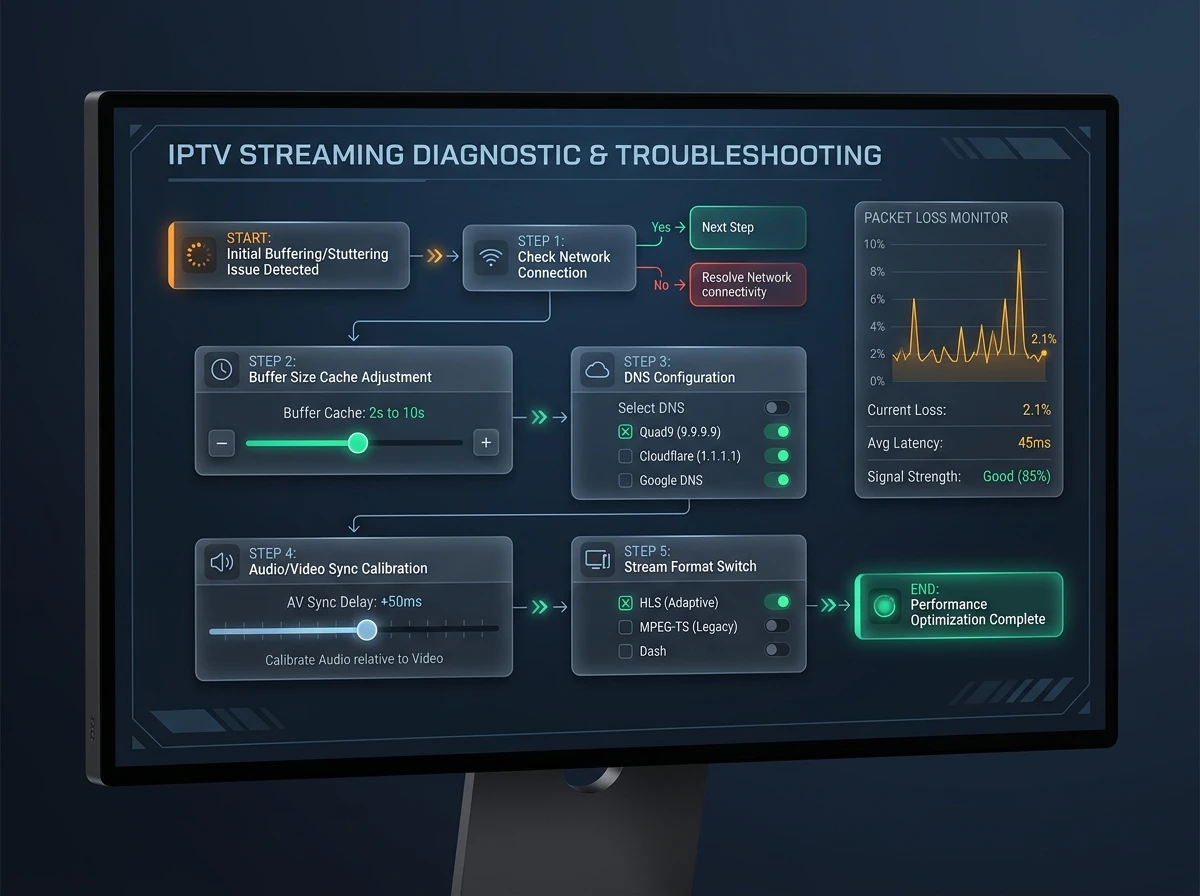
Most faults lie not in the app but in the access or the network:
| Symptom | Possible cause | What to do |
|---|---|---|
| The app starts but shows no channels | Wrong server address, wrong username or password, subscription not active | Check the login with the provider and test the link in a second player |
| Error right after login | Typing error or space in the details | Re-enter the details by copying and pasting |
| Channels load but without a programme guide | The EPG source is missing or channels are not matched | Check the app's EPG setting; the source comes from the provider |
| Picture stutters or freezes | Overloaded Wi-Fi or too little bandwidth | Use a network cable, choose the 5 GHz band, check bandwidth |
| Replay or catch-up is missing | The service does not offer it | Ask the provider; the app is not the cause |
12
Alternatives to IPTV Smarters Pro
If you do not like the app or it does not exist for your device, equivalent players exist: TiviMate for Android TV and Fire TV, Smart IPTV for Samsung and LG, Kodi and VLC on a computer. The comparison with costs and platforms is in IPTV apps and players; the TV app with one-off activation is explained in Smart IPTV explained.
FAQ
Frequently asked questions
What is IPTV Smarters Pro?
IPTV Smarters Pro is a player app for live TV, films and series. It supplies no content but plays the channel list of a service whose login you enter.
Does IPTV Smarters Pro come with channels?
No. The store listings of these apps stress that they offer no channels, playlists or subscriptions. Without a service's access, the app stays empty.
Is IPTV Smarters Pro free?
That depends on the app version and the store. Prices are in the store listing and concern only the app. A service's subscription is a separate contract.
Is IPTV Smarters Pro legal?
The app is neutral. Using it is lawful if the service behind it holds the broadcasting rights; with an unlicensed service it is not, whichever app plays it.
Where do I download IPTV Smarters Pro safely?
From your device's official store or from a source the developer itself names. Compare the developer's name and avoid modified installation files from forums or chats.
How do I set up IPTV Smarters Pro?
With the login details of your provider: either as an Xtream Codes login made of server address, username and password, or as an M3U link. Copy and paste the details.
What is the difference between IPTV Smarters and IPTV Smarters Pro?
The stores list several names such as IPTV Smarters, Smarters Pro, Smarters Player or Smarters Lite from different developers. The name does not reveal which app is the original; what counts is the checked developer.
Does IPTV Smarters Pro run on Samsung, Windows and Android?
Versions exist in the stores for Android and Apple devices; on a computer VLC or Kodi are proven alternatives. On a Samsung TV check the TV store to see whether the app appears for your model, otherwise Smart IPTV or NET IPTV help.
Why does IPTV Smarters Pro show no channels?
Usually the server address, username or password is wrong, or the subscription with the provider is not active. Check the same details in a second player.
Sources
Read next
- IPTV apps and players comparedPlatforms, costs and the main alternatives
- Smart IPTV explainedActivation, Samsung and LG, confusion with SmartOne
- IPTV subscription: contract, cancelling and codesXtream Codes, M3U link and activation code explained
- IPTV illegal or legal in SwitzerlandNeutral tools: the source decides
- Best IPTV provider: how to chooseEight criteria and warning signs before buying
- IPTV pricing in SwitzerlandPlans, terms and prices in CHF
More from the blog
- Technology4 min readIPTV glossaryIPTV glossary with 50 terms explained in one line each: EPG, M3U, Xtream Codes, HLS, RTP, codecs, DRM, STB, replay, OTT and more, with sources.
- Safety3 min readIPTV scams and red flagsIPTV scams in Switzerland: how fake sellers, reseller panels and "lifetime" deals work, the red flags to check before paying and what to do if you paid.
- Technology3 min readFix TV bufferingFix TV buffering and stutter step by step: cables, restarts, Wi-Fi, updates, quality settings and when to blame the line, with Swisscom and Sunrise tips.